Avalon
Splitting the note from the record. Clinical documentation designed for the bedside instead of the desk.
Built like a chart, used on the move
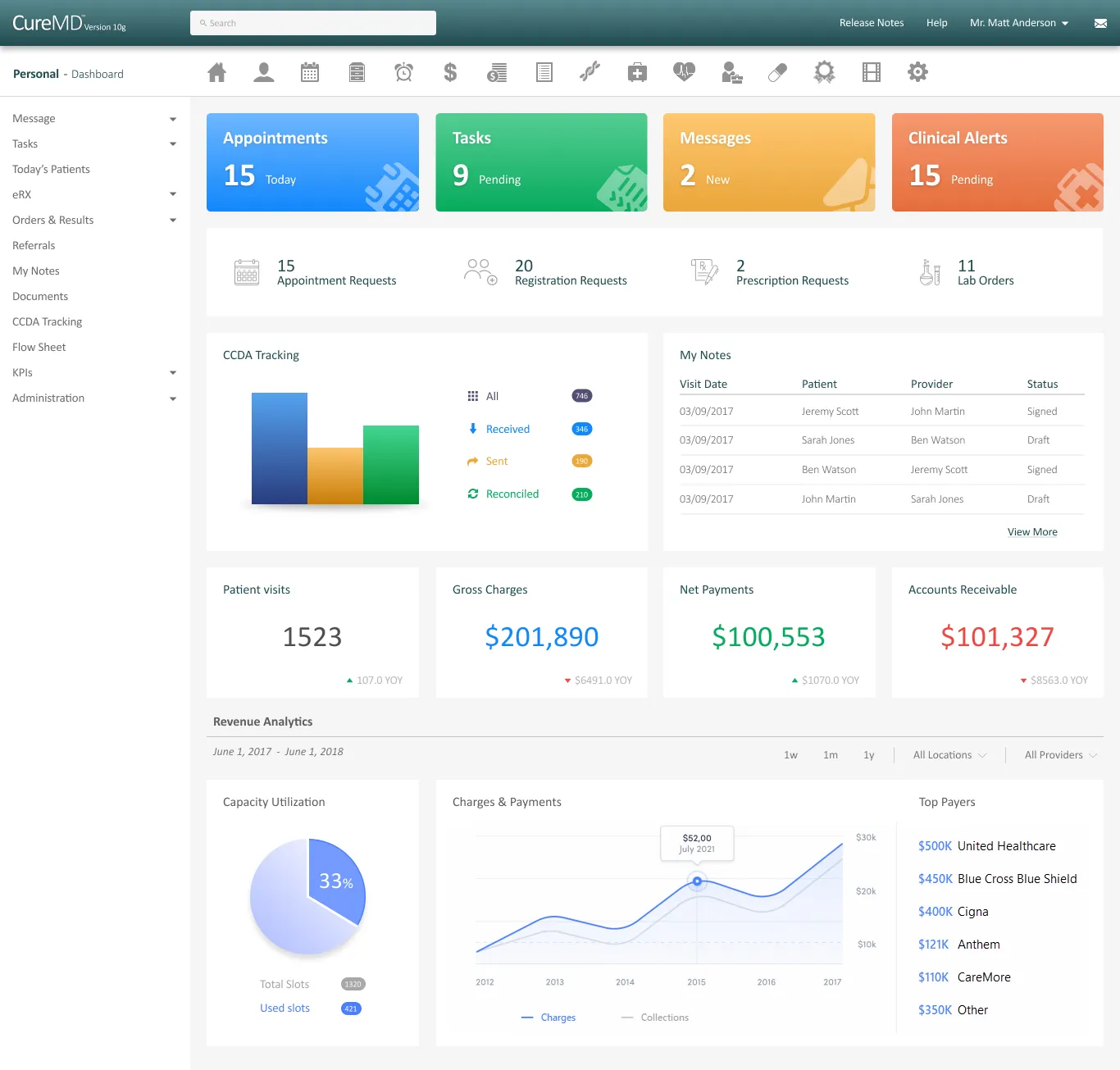
Avalon is the mobile companion to CureMD's EMR. A physician uses it to chart, prescribe, check eligibility, and manage their schedule between patients rather than at a desk. The version I inherited was built like desktop software put on a phone: dense, exhaustive, and focused on the completeness of the medical record. That works for a chart. It does not work for the thirty seconds a physician has standing in a hallway between rooms.
What made this hard is specific to healthcare: clinical documentation carries medico-legal weight, so the safe default is to capture everything up front in one pass. But the person using Avalon is not a record-keeper at a desk. It is a clinician in motion, and every extra required field is friction at the moment they have the least attention to give.
The working idea: if a note could be written and signed in the time a physician actually has at the point of care, both adoption and documentation quality would rise, without giving up the completeness the record needs.
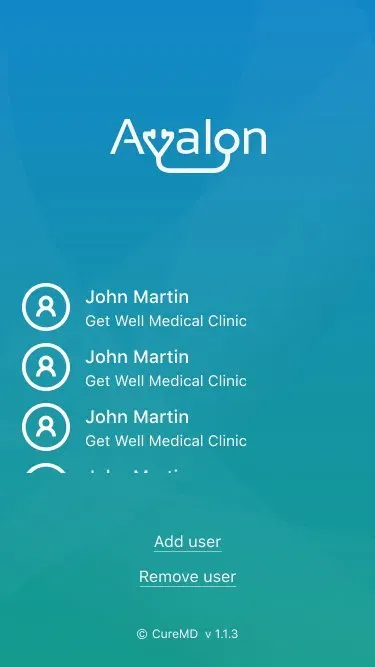
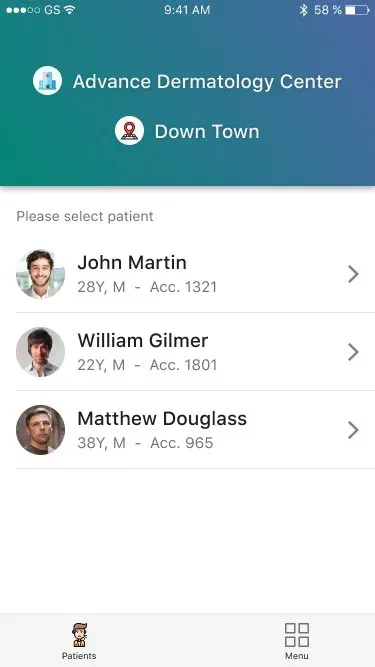
The completeness-first form
The first direction treated the Provider Note as a single, complete form. It captured the full History of Present Illness, reason, comments, severity, and structured clinical detail on the entry path, mirroring the record exactly. On paper that makes sense: clinicians need complete documentation, and the signed record does hold dense, structured clinical detail.
What this form missed is where the physician is standing when they fill it out. It solved the record's problem, but not the prescriber's.
Capture fast, verify later
Physician interviews showed the real behaviour. Providers do not document for completeness in the moment. They capture fast and verify later. When we showed them the long entry form, they described it the way they described the old app: as something to get through, not something that helped them care for the patient in front of them.
That was the signal that the frame was wrong. The problem was not that the form was too long. It was the wrong thing to put in front of someone at the point of care. The completeness was real and necessary. It was just in the wrong place in the flow.
Separate documenting from reading
The principle that came out of it: separate documenting from reading.
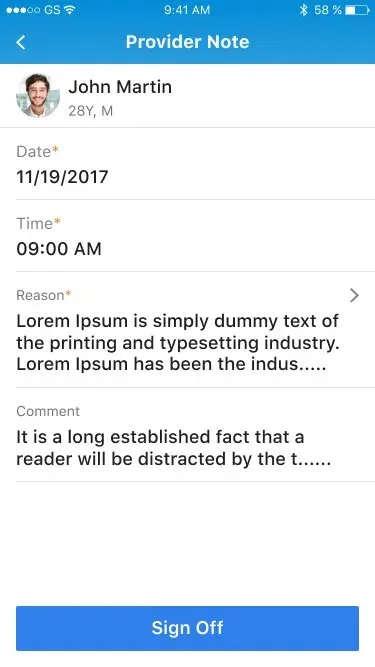
Instead of one note, there are two states. The entry-and-sign-off path is cut down to what a physician needs while moving: patient, date and time, reason, a comment, and a single, clear Sign Off action. The full clinical record, the structured HPI, severity, the signed-by name and timestamp, becomes the read state. It shows up when reviewing or auditing the chart, not when capturing it.
Entry is fast, and the record stays complete. None of the documentation's completeness was lost. It was moved to the moment where it actually matters.
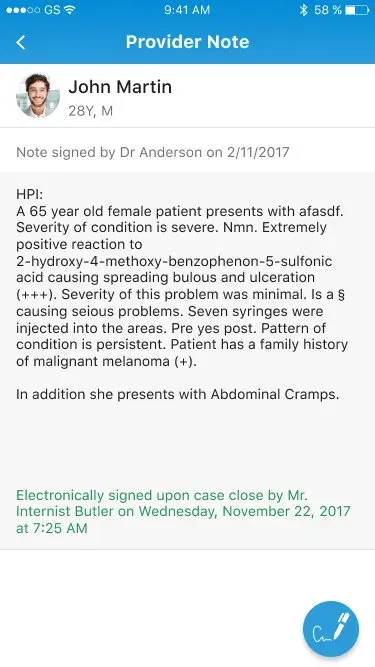
Two states of one note, split by the moment it is used in.
Defending the split
The hard part was not drawing the two states. It was defending the split. In clinical software, the instinct to capture everything up front is not laziness. It is a real risk-management habit, because an incomplete note has medico-legal consequences. The resistance was that instinct itself, not any one person. The pull toward capturing everything at entry is where every clinical tool drifts, and the job of the design was to prove the split was safe, not just faster.
The answer was simple: completeness was never removed, only moved into the signed record. That idea, move it, do not delete it, is what let the split survive review.
One pattern, repeated across the app
What shipped was the two-state Provider Note, sitting inside a design system I built for the whole app, which is why the same logic could repeat across every module. A fast surface over a complete record, used again and again.
Explicit states, everywhere
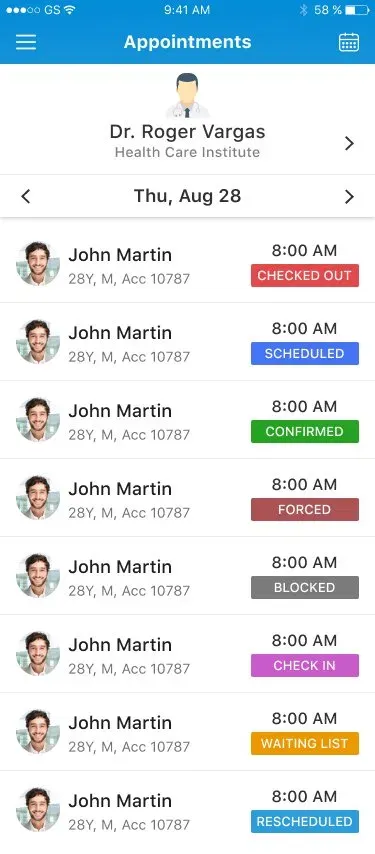
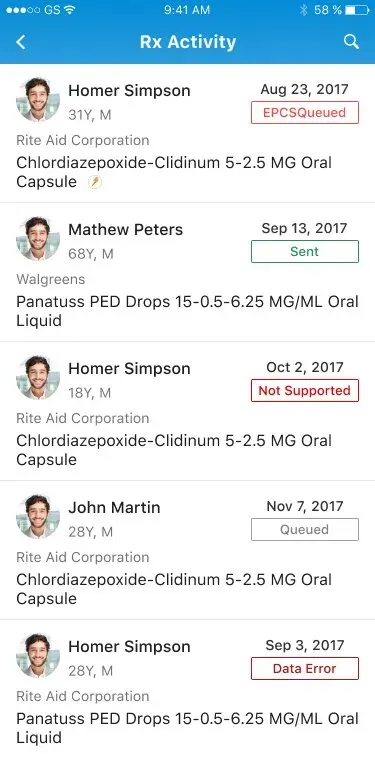
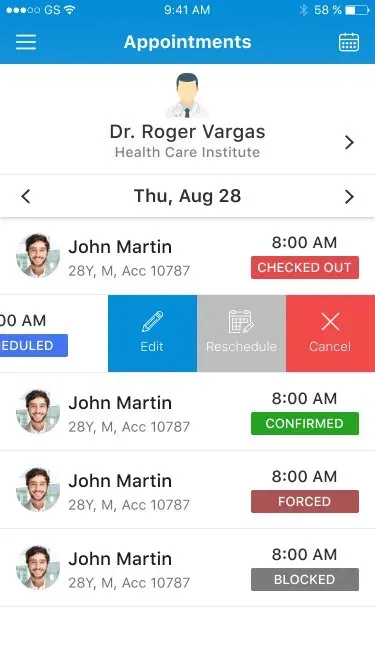
Appointments carries eight status states: Scheduled, Confirmed, Checked Out, Forced, Blocked, Check In, Waiting List, and Rescheduled. Rx Activity names every prescription state, including controlled-substance (EPCS) handling: Sent, Queued, Not Supported, and Data Error. A prescriber always knows exactly where an order stands.
Actions one gesture away
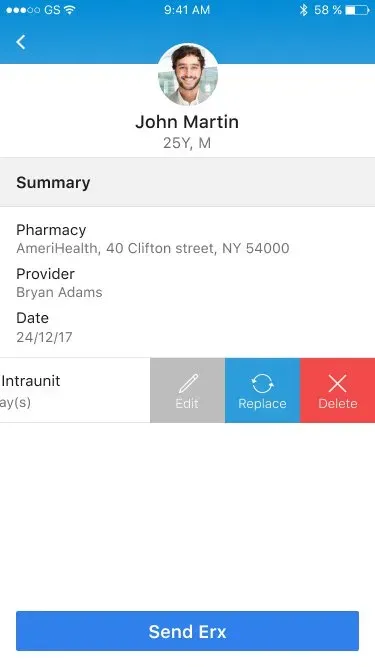
The common actions, edit, reschedule, cancel, replace and delete, live behind a consistent swipe-to-reveal. The list stays clean, and the action is never more than one gesture away.
The prescription record, end to end
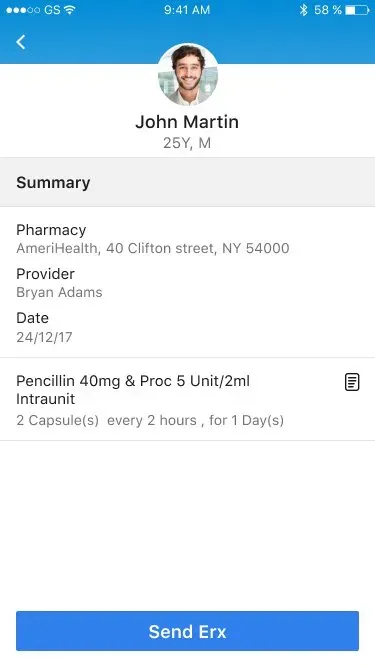
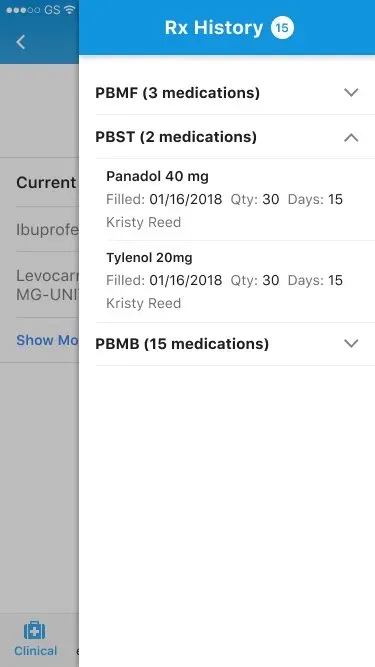
The note's pattern repeats in prescribing: a fast summary surface for the moment, with the full history one level down. Rx Summary keeps the common actions on a swipe, and Rx History holds the complete record when the prescriber needs to read rather than act.
Careful with the data that matters
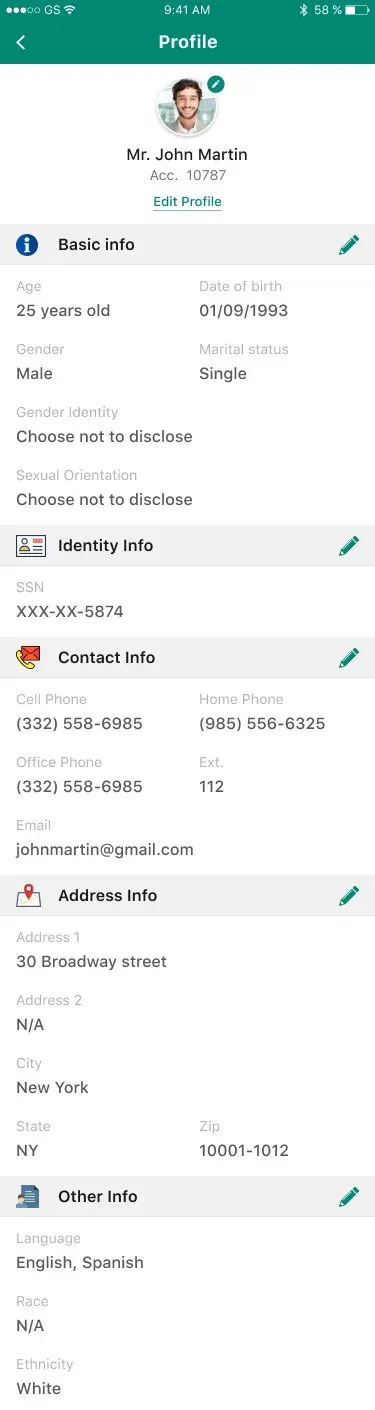
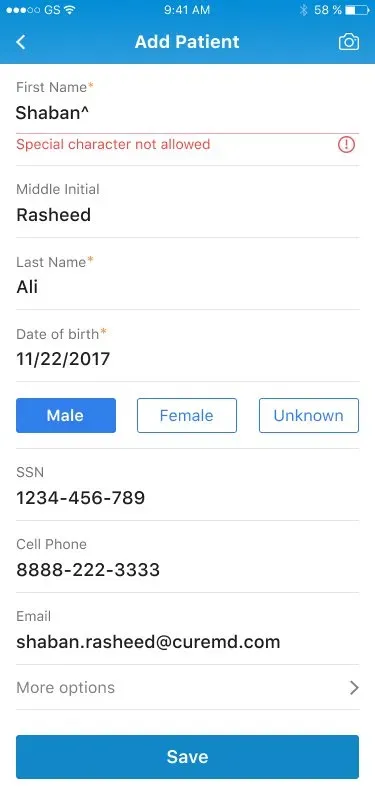
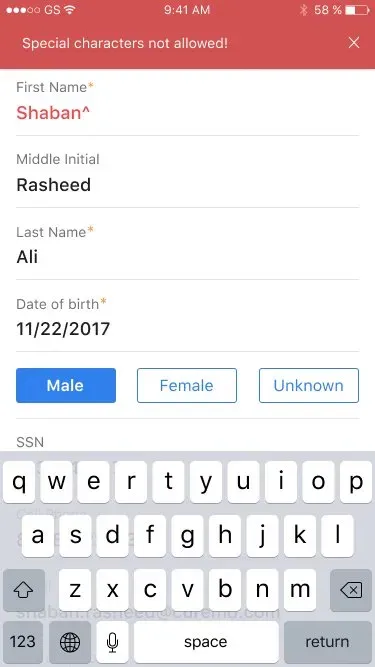
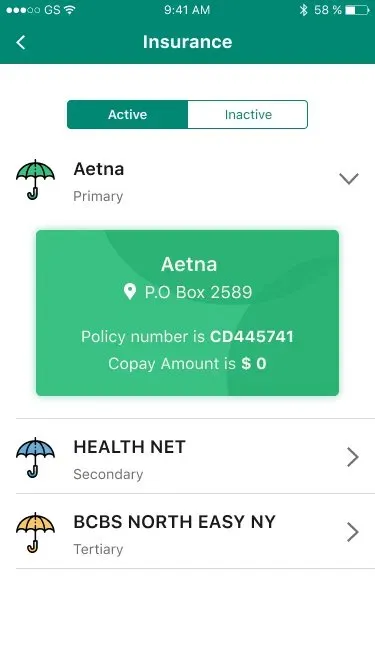
Inline validation catches bad input at entry, and the error state says what is wrong in place rather than failing at save. Identifiers are masked for privacy. Identity fields are inclusive, with a "Choose not to disclose" option. Insurance is modelled as a real primary, secondary and tertiary hierarchy rather than one flat field.
Coverage, from payer to person
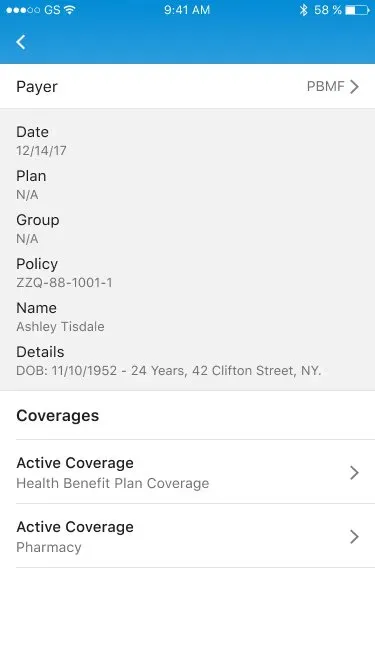
Payer selection sits inside the same insurance hierarchy, and the patient profile gathers the whole picture, demographics, coverage and activity, into one scrolling record.
A design system, built end to end
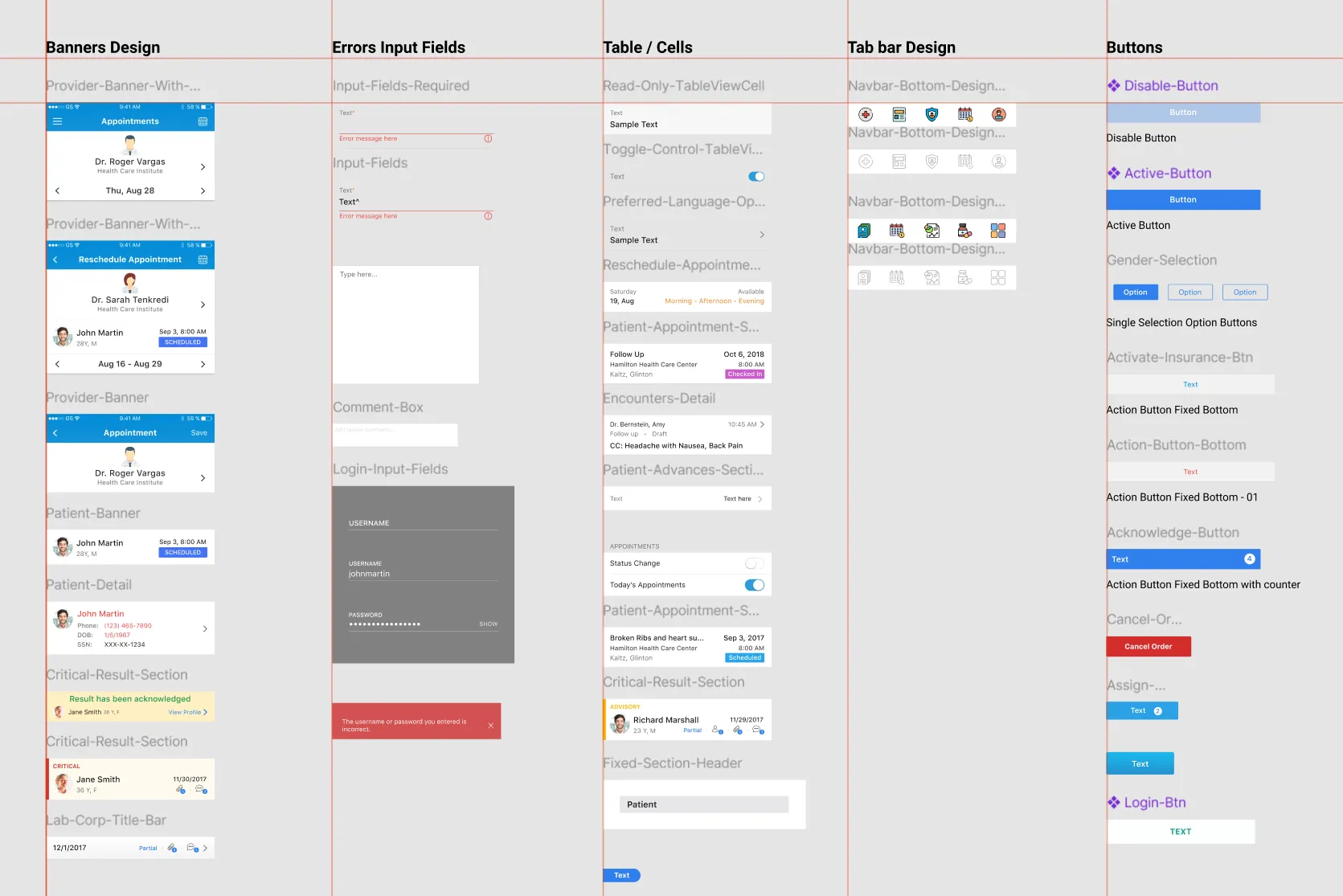
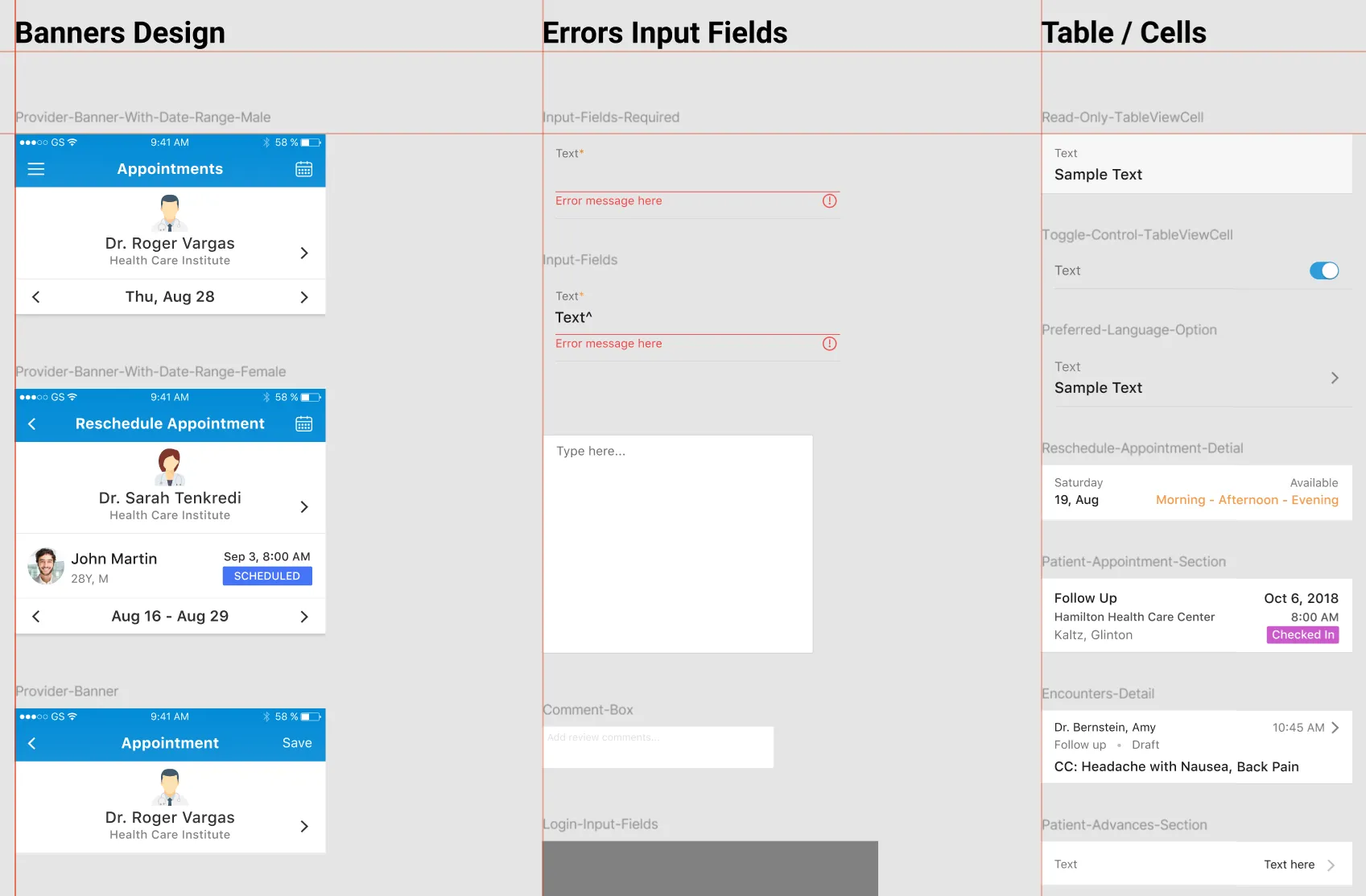
What made the repetition possible was a system I owned end to end: banners, input and error states, table cells, tab bars, and a full button family. Because it was mine top to bottom, the note's core pattern, a fast surface over a complete record, stopped being a one-off and became a reusable building block across the app.
The status vocabulary
Every module names its states out loud instead of hiding them. Appointments carries eight, prescriptions four, and the colour coding as shipped is visible in the screens above.
Foundations the modules stand on
Designed for shared clinic devices rather than assuming one phone, one user. The device belongs to the clinic; the session belongs to the clinician.
Sensitive identifiers are masked by default, so a glanced-at screen in a hallway never leaks what it should not.
Identity fields carry a "Choose not to disclose" option, so the record never forces an answer the patient did not give.
Primary, secondary and tertiary coverage modelled as the real structure it is, not one flat field to overwrite.
The component inventory
The boards below are the real working system files: banners, required-field and error states, table cells, tab bars, and the button family that every module above is assembled from.
What the physicians said
Physicians who had called the old app a 90s relic responded well to the revamp in follow-up interviews. There is no A/B number here, and that is the honest read. In a clinical tool used by physicians, you rarely get to run a controlled experiment on them. What there is instead is a clear research loop: a real behaviour observed, a frame corrected because of it, and a design the physicians themselves confirmed.
What I'd weight differently
Looking back, two things stand out. First, the controlled-substance prescribing path (EPCS, with its own error and not-supported states) is the highest-consequence flow in the app, and a flow that error-prone deserved its own validation round with prescribers earlier than it got one. Second, the information architecture has aged far better than the visual styling, which is the real lesson about where the lasting design work sits. The thinking about separating documentation from reading holds up as well today as it did then. The gradients do not.