DOOS
One workspace for a team's tasks and time. Calendar, reminders, time-tracking and Trello-style boards, all in a single product, on web and mobile.
Starting from a rough concept
In 2021 a client found me on a freelance platform. His team was losing track of who was doing what, and how long it took. He needed to see every task at once, by day, by week, and by month, to read how busy the team really was, to handle the time each task took, and to see what was urgent. He arrived with a rough concept, and I took it from there to a working product and prototype.
From several tools to one
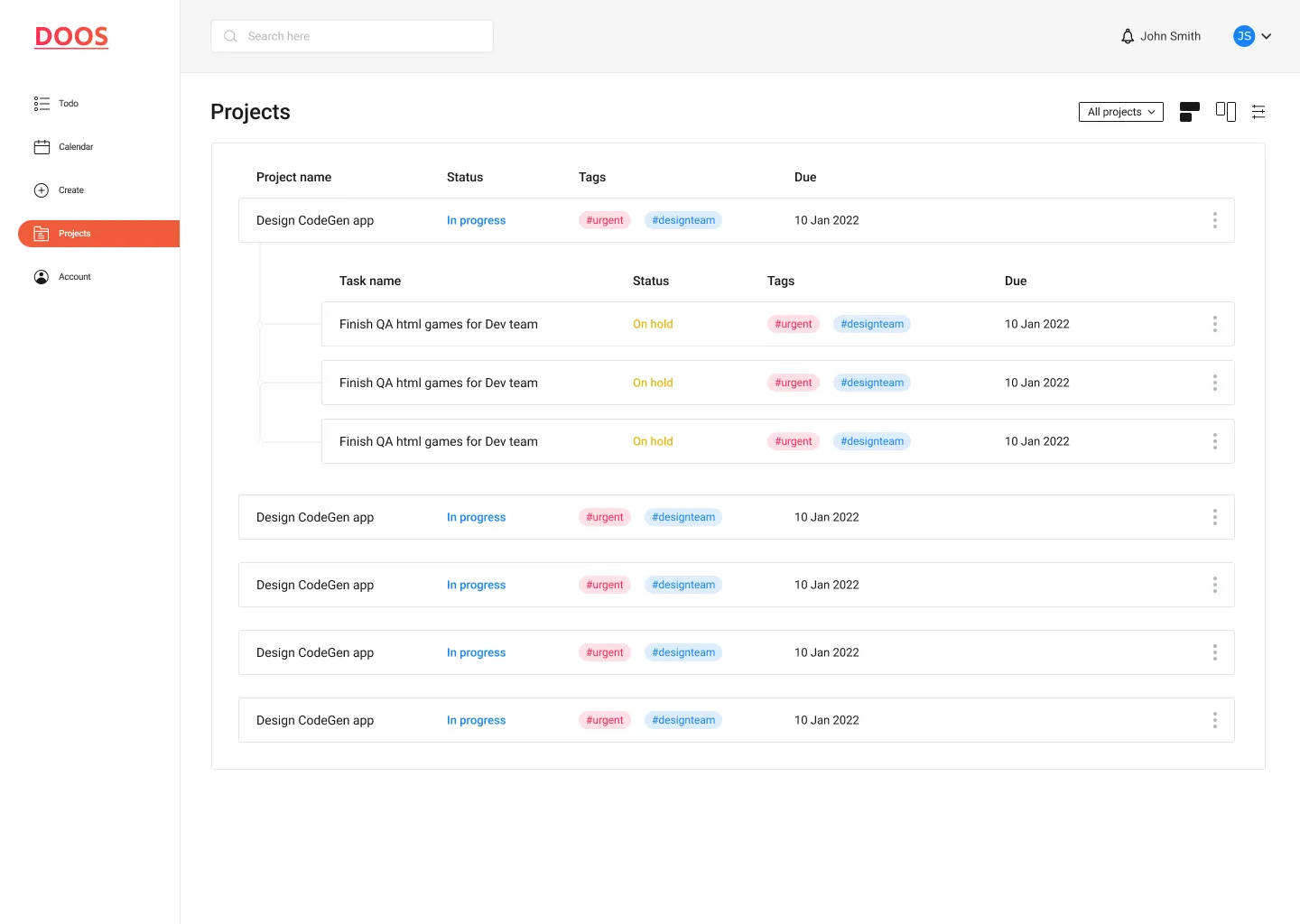
His instinct was a single, focused tool. When I mapped the requirements, they were not one thing. They were four views of the same work: a calendar, reminders, time-tracking, and a Trello-style board. So the question changed. DOOS became one workspace that holds all four in a single place: the same tasks seen as a list, a calendar, or a board, with time tracked against them, on web and on mobile.
One set of data, three ways to read it
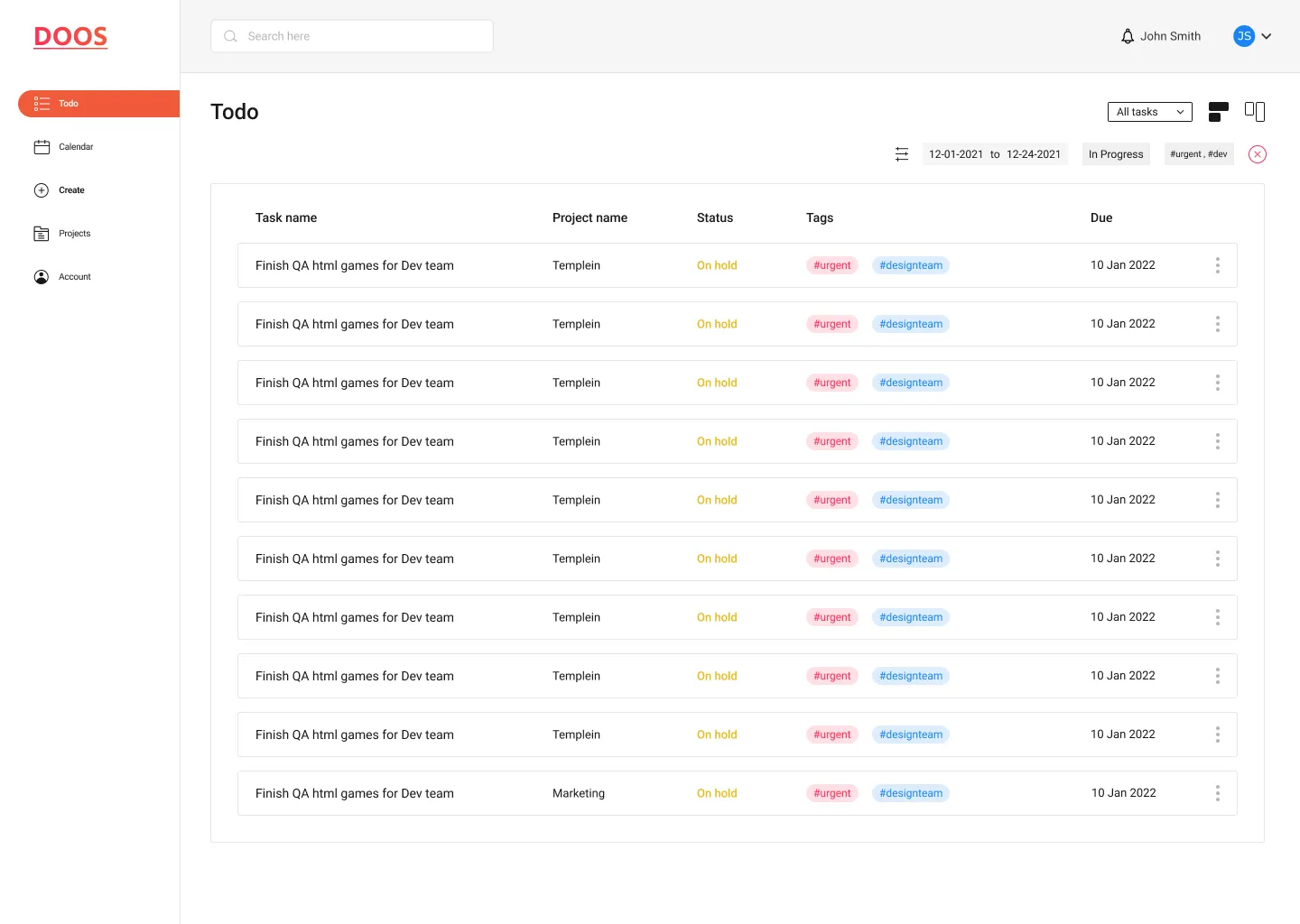
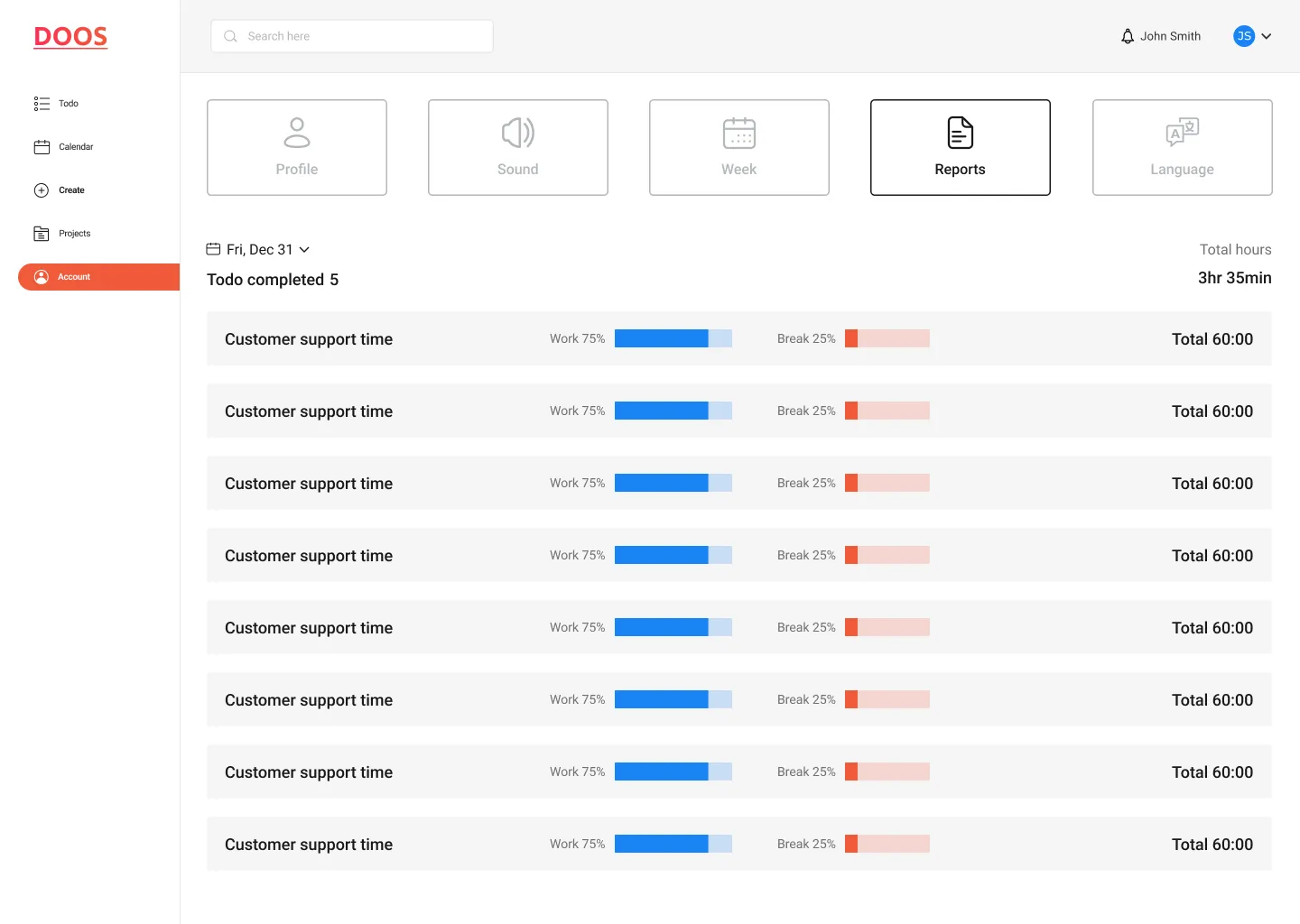
The team's real need was a quick glance, not a long feature list. So the core of DOOS is three views of the same tasks: a list for detail, a calendar for load over time, and a board for status at a glance. Priority is shown through status and tags. Time is tracked with a built-in timer and a work and break report. One set of data, seen several ways.
A full calendar on a 2021 phone
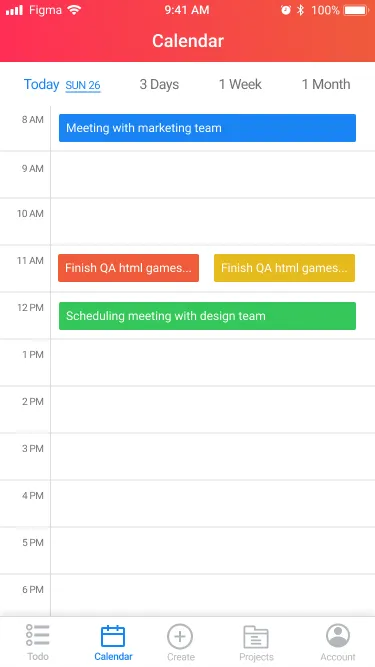
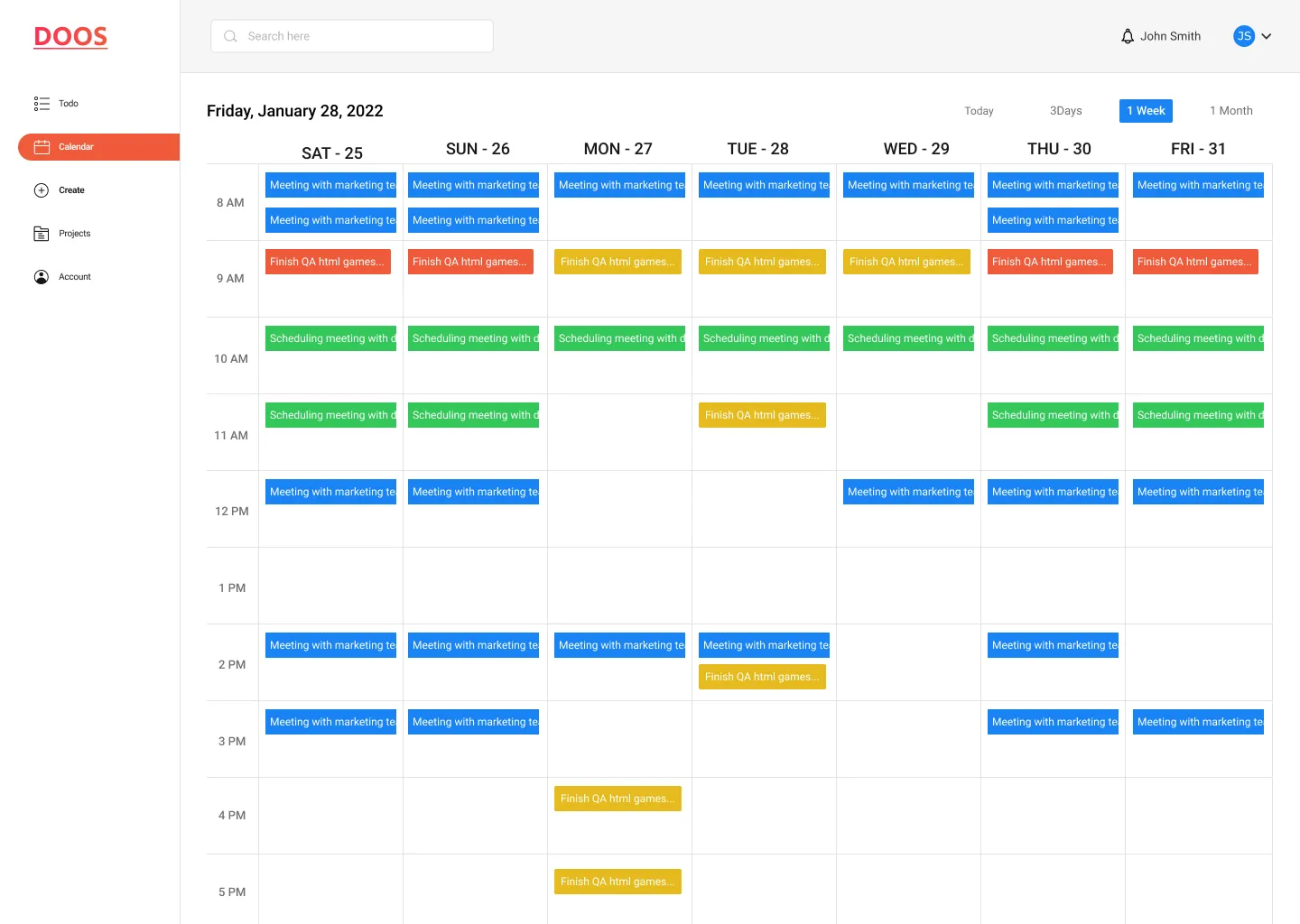
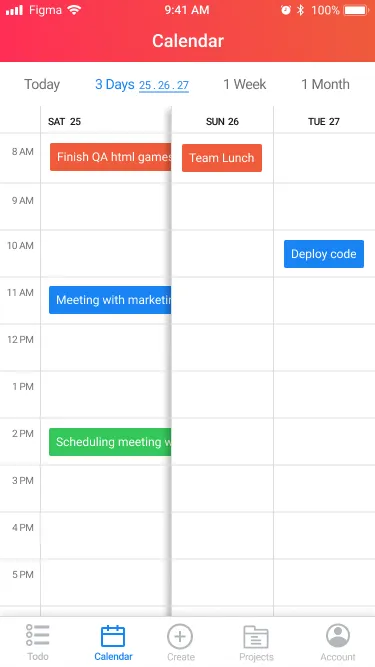
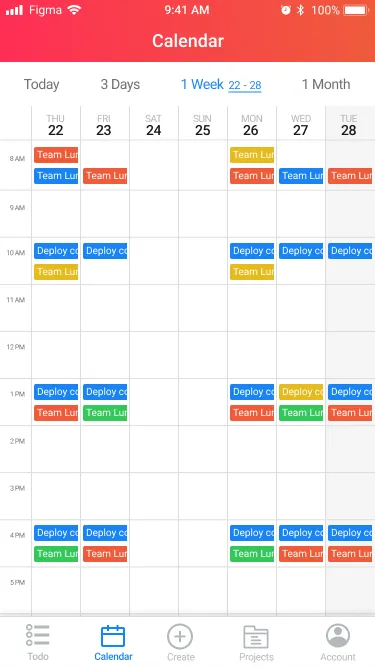
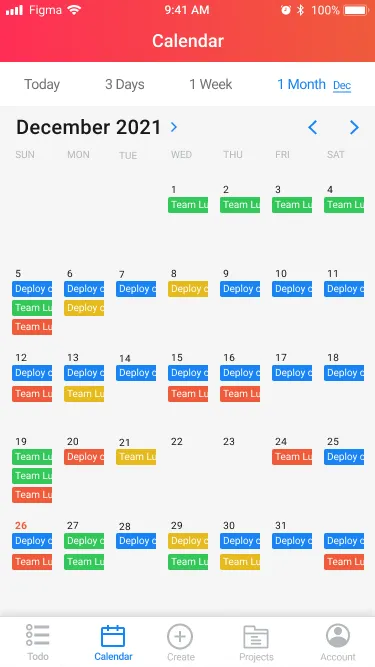
The calendar had plenty of room on desktop and almost none on mobile. A week or month grid needs space, a phone does not have it, and in 2021 there was no settled pattern to copy. The answer was to let the screen choose its scale: Today for focus, then 3-day, Week and Month as you zoom out. Each one is laid out for one thumb, and every event keeps the same colour, so a glance reads the same at any scale. Making that clear on a small screen, that early, is the part of this project I am most proud of.
Status, time, and one-gesture actions
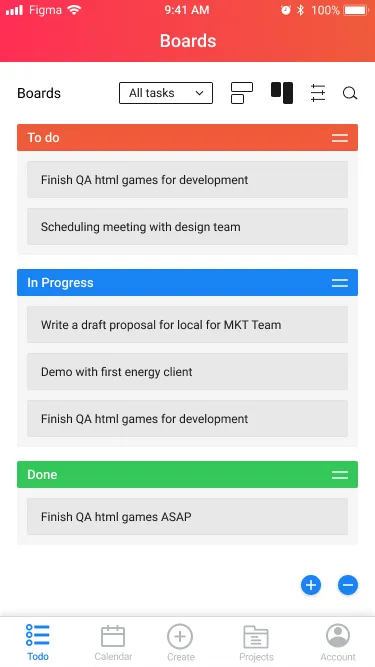
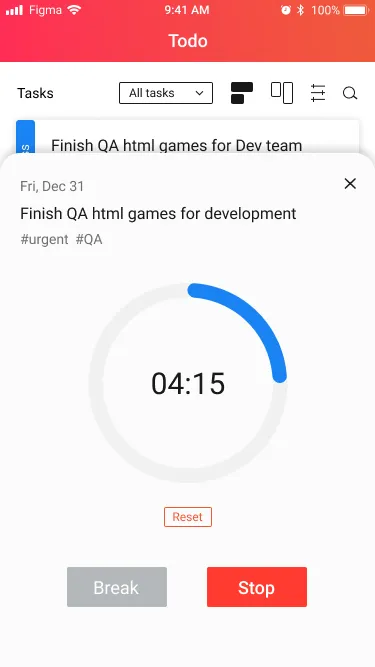
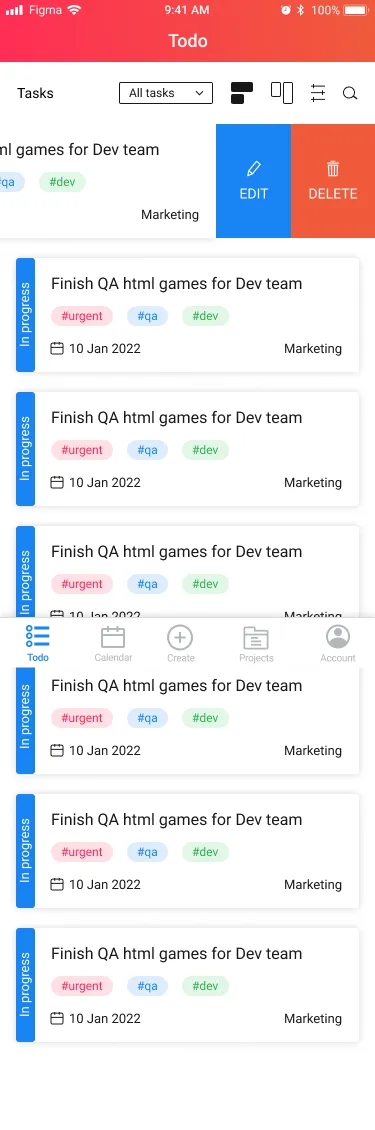
The board carries status: To do, In progress and Done. On mobile it stacks into a single column with tap-and-drag. A start, stop and break timer runs against any task and shows in the status bar, and swipe-to-reveal keeps the common actions one gesture away.
The same timer, on both platforms
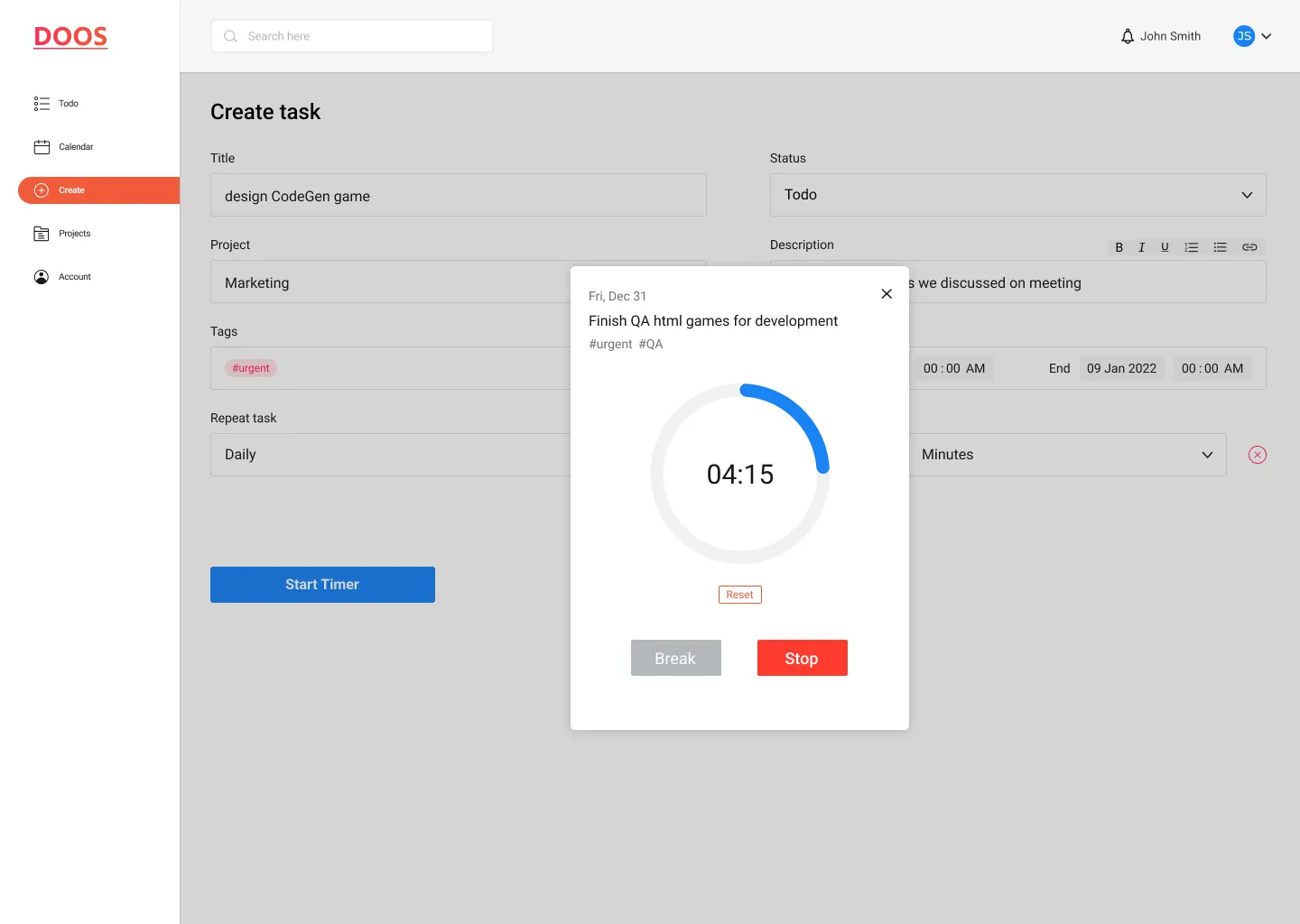
The timer is the clearest proof of the system working across surfaces. Work in blue and break in coral read exactly the same on the phone's status bar and in the web report, so a glance means the same thing wherever the team looks.
One system, every surface
Across three views and two platforms, one system holds it together. Four colours carry state and category, and they keep the same meaning whether they show up as a status, a tag, a calendar block, a board column, or a slice of tracked time. Build a task row once and it fits into every view, and that consistency is what let a product this broad still feel like one thing.
What each colour means
One colour, four components
The same value, Blue / In progress, across the whole product. One colour, four components, and nothing new to learn.
The component library
The internal tool that became a business
DOOS shipped as an internal tool for the client's own team. He liked using it enough that he stopped thinking of it as internal. He took DOOS to market as a product and ran with it. It was built to organise one team, and it became something he sold. Delivered end to end in three months, from concept to a working prototype, as the sole designer on the project.
What holds up, and the honest gap
The durable part is the model: one set of data with a colour system that keeps its meaning across every view and both platforms. That is why the product could grow from an internal tool into something sold without redesigning its language. The honest gap is data. The engagement ended at design, so there is no usage evidence behind the calendar scales or the timer, only the client's decision to take it to market. And the scale-switching calendar was worked out before mobile calendar patterns settled. Built today, it would start from what users now already know instead of inventing the pattern, and spend the saved time validating the month view, the hardest scale to read on a phone.