Perceev
A road-safety companion for the one person who cannot look twice while driving. Speed, upcoming signs, forward-collision and lane-keeping, each cut down to what reads in the half-second a moving driver can spare.
A long glance is the danger
Most apps compete for attention. A driving app has to do the opposite. It earns its place only if it costs the driver less attention than going without it. The driver's eyes belong on the road, and anything that pulls them off for a second is, in this case, the risk itself. That one constraint drove every decision in Perceev.
The brief was personal. The client, based in France, had been in a minor accident, worked out what caused it, and wanted a tool that kept ordinary drivers on top of the basics: the current speed limit, the signs and signals coming up, a warning when the car goes over the limit, and an alert for what is closing in ahead. A safety net for the parts of driving that attention quietly drops.
So the working principle was set before a single screen was drawn: design for how fast it can be understood, not how much it shows. One message per moment, large enough to read without a second look, because the second look is the thing the product exists to prevent.
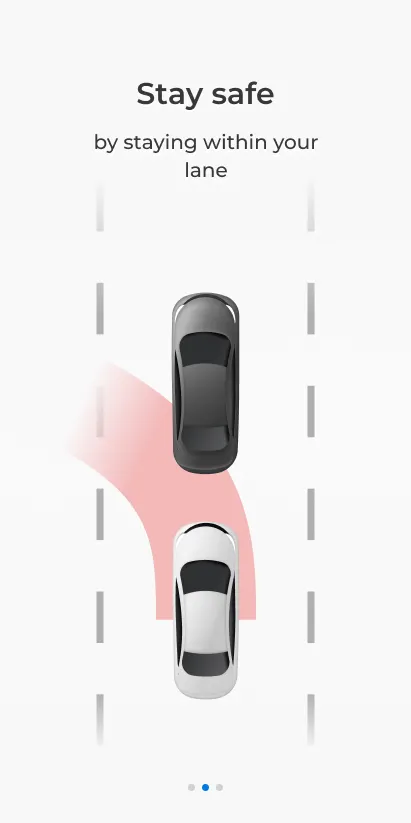
An idea with no design yet
The client arrived with the what and none of the how. He could describe the behaviour, watch the road and warn the driver, but had no idea what the product should look or feel like: how the car should be drawn, where the logo sat, what point of view the driver should see from. There was no existing app to point at as a reference.
That gap was the actual job. Turning a one-sentence safety idea into a real product meant inventing its whole visual and interaction language from scratch: the perspective, the car, the colour meanings, the type hierarchy, and the handful of components everything else would be built from.
Put the driver inside the windshield
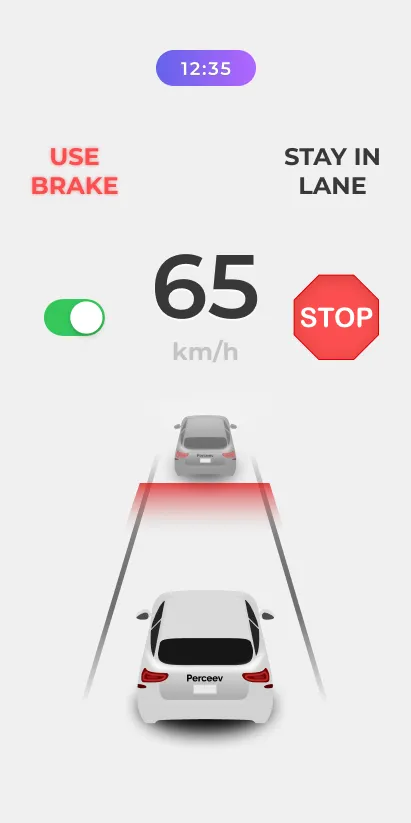
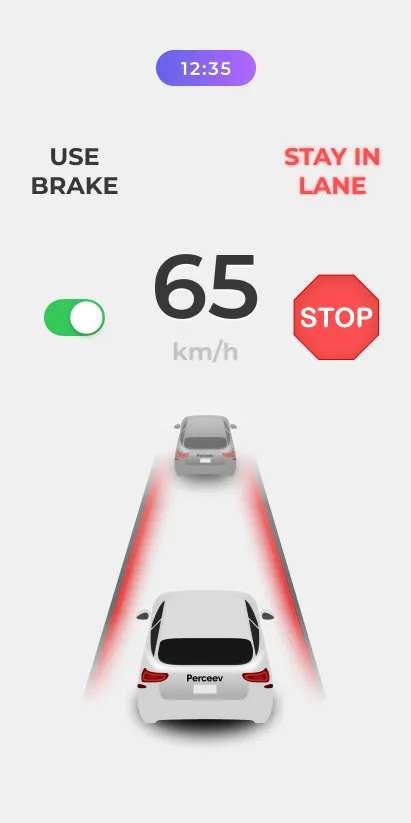
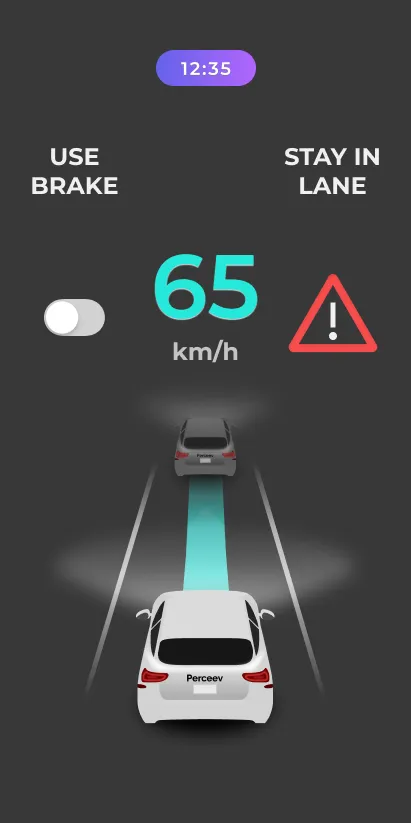
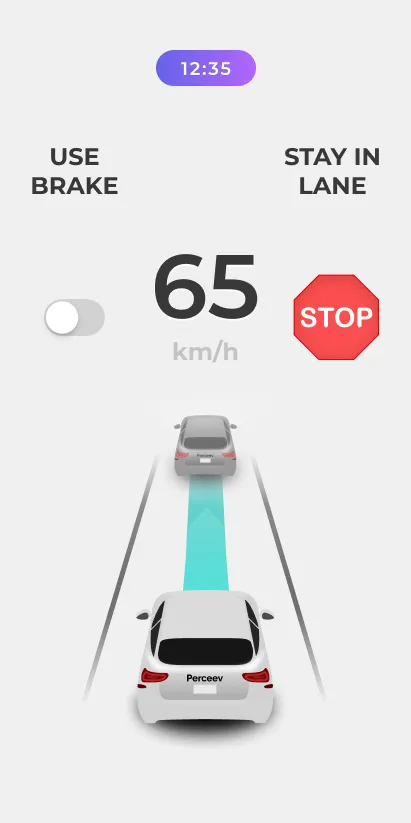
The choice that tied it together: render the road from the driver's own point of view, a chase-cam looking down the lane at the car ahead, so the screen mirrors what is through the glass instead of asking the driver to read a top-down map. The scene on screen and the real scene line up, which is what lets a half-second glance land.
With the perspective fixed, colour carries the message so words do not have to. Teal means clear and active: your speed, your lane, you are fine. Red means act: brake, danger, close. The driver does not so much read the screen as register its colour, which is the whole point.
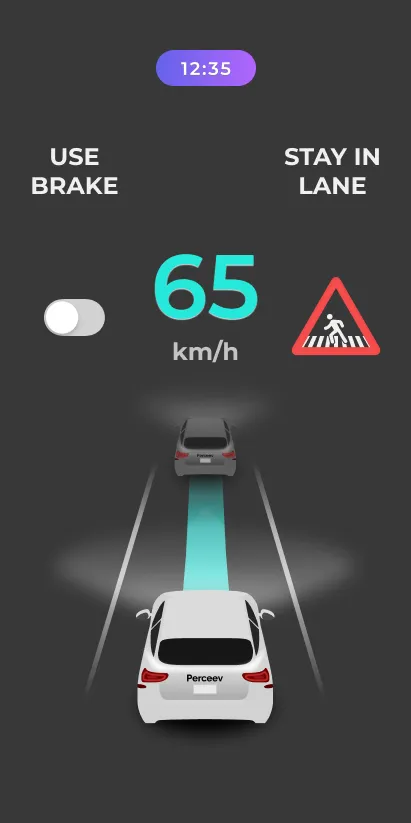
Same screen, two states, and you can tell them apart from the passenger seat. That was the test.
One number does the most work
Reading at a glance is a hierarchy problem. Speed is the hero: the largest element on the screen, because it is the one value a driver checks most and the one the law cares about. Everything else sits in support: the upcoming sign, the time, the lane beam and the collision cue are sized so they are there for a glance without competing for it.
Night was a design requirement, not a preference. A bright screen at night blinds the driver it is meant to protect, so the driving default is the dark surface, with speed and cues glowing off near-black and the cabin kept dark. The day and night surfaces are not a cosmetic theme, they are a safety boundary the rest of the system had to respect.
Live before you leave the driveway
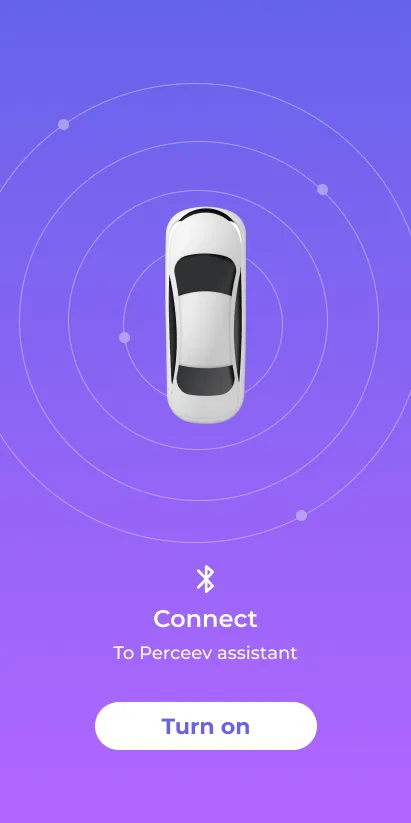
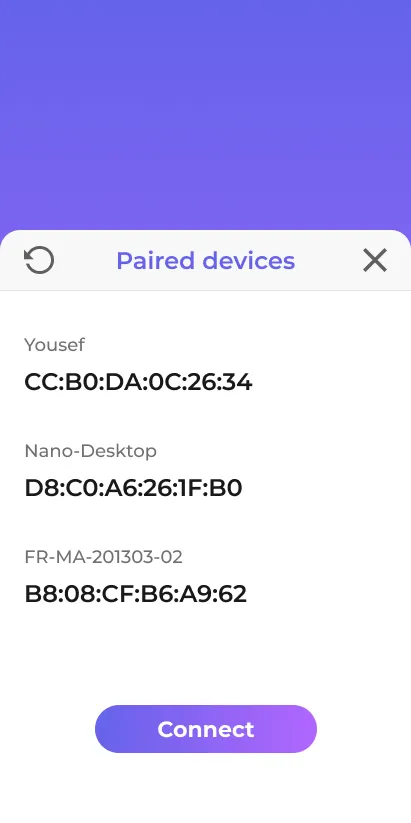
Perceev rides alongside a device, so the connect flow had to be the least interesting part of the experience: find, pair, done. The goal is a driver who never thinks about setup. The safety layer is already live by the time the car leaves the driveway, because asking someone to fiddle with pairing once they are moving would bring back the exact risk the app removes.
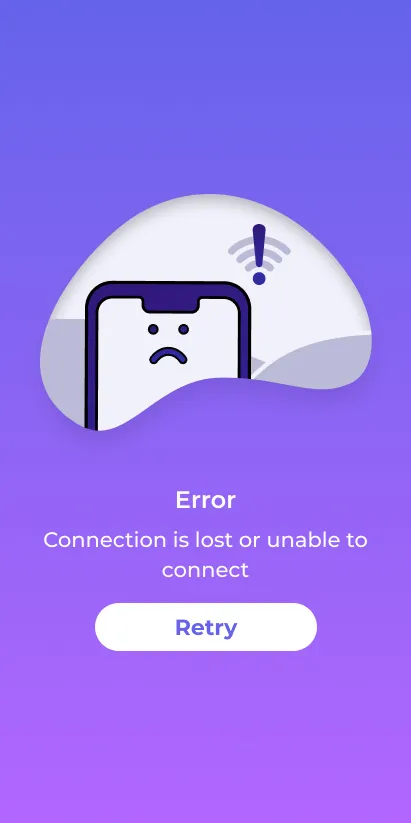
Even the failure state pulls its weight. "No device found" is written as a safety message, not a dead error. It tells the driver plainly that the assist is not active yet and what to do about it, in the interface's own voice, never apologising and never vague.
A language built to be read at speed
Because there was no precedent to borrow, the whole thing had to be built as a system: a tight set of colours with fixed meanings, a road-sign set drawn to one grid, a type scale anchored by a single giant number, and a small family of components reused across every state. The screens above are put together almost entirely from the parts below, and that is what lets a one-month build still feel like one product.
Colour is the message
Two meanings do the work: teal = clear / active and red = act / danger. Indigo and violet carry the brand, and two neutral surfaces draw the line between day and night driving.
The road-sign vocabulary
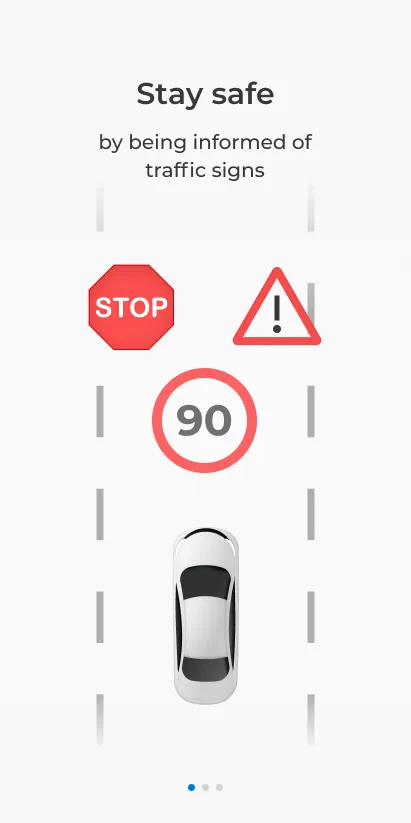
Recognition beats labelling, so the system leans on signs every driver already knows, redrawn to one shape, one stroke weight and one red, so they read the same whether they sit in the HUD or show up as an upcoming-signal cue.
Type, anchored by one number
The scale is deliberately top-heavy. The speed reading is huge and tabular, so the digits never shift, and everything below it steps down hard, because in a glance interface a flat hierarchy does not work.
800 · tabular
500 · mono
700 · uppercase
700 · uppercase
500 · mono
The HUD components
A small family, each rebuilt here from the system, the same parts the screens are put together from.
The perspective element
The signature element: the driver's-eye scene. The same element renders every state, and only the colour of the road changes. Teal when you are clear, red when the gap ahead needs the brake.
Day and night, one component
Every surface was designed twice: a daylight version and the near-black night version that is the driving default. Same hierarchy, contrast retuned. This portfolio follows the same discipline, with its own light and dark switch.
Foundations
Soft on the frame, fully round on pills and the assist toggle.
A flat 8-point rhythm, enough for a glance grid and no more.
State changes snap (about 140ms). A safety cue cannot wait for an animation to finish.
A sentence, turned into a shipping app
Concept to product in about a month, as the sole designer. The visual language, the interaction model, and the component set all started here. The work carried forward into engineering and was built in Flutter, shipping on both iOS and Android.
Roughly four months on, the client got back on a call and demoed the working app: his idea, born out of a real accident, now running on a phone. The honest read is qualitative. There is no controlled in-traffic study behind it, and that is the next thing this project would earn. What it does show is a clean 0 to 1: a vague brief taken to a clear, buildable product, and a client who saw his own idea come back to him as something real.
What a v2 would have to earn
The whole product rests on one claim, that these states read at speed, and that claim was checked at a desk, not behind a wheel. The thing I would add next is testing in context: legibility checked while actually moving, at night, in glare, because a safety claim is only as good as the conditions it was tested under. The visual language has aged well. The proof is the part still owed.