SeniorConnect USA
An accessibility-first brand and content system that helps Americans over 50 choose internet and the home services around it, designed so the brand decision and the usability decision are never two different decisions.
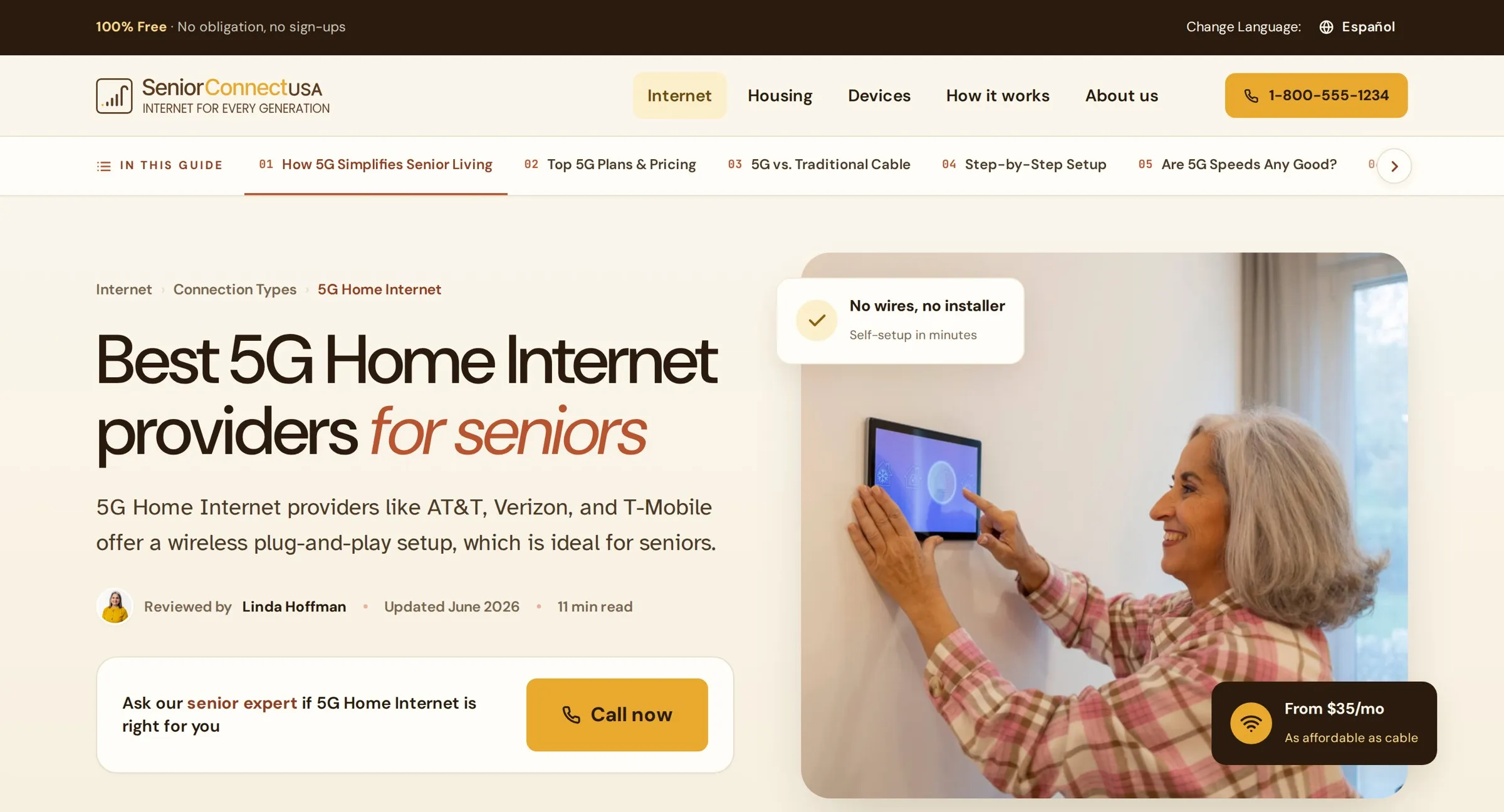
A buying decision the web routinely under-designs
SeniorConnect helps Americans over 50 compare and choose home internet, and the services around it: housing, devices, and daily life, without needing a grandchild on the phone. It is an editorial, lead-generation product. The business runs on people reaching the right provider and acting, so every page is both a guide and a place to act. And the reader is specific: older, often low-vision, unsteady on touch, phone-first, with little patience for telecom jargon, and often in a bilingual household. Design for that reader, or the page quietly fails.
From a content brief to a finished page
For each provider or page the requirement arrives as content: a meta title, hero copy, section-by-section text, pricing, and a call to action. That is the raw material, not the design. The reframe is the whole job. A requirement is a list of facts, and my work is turning it into a page a 72-year-old can act on at a glance: deciding the information architecture, the reading order, the trust signals, the right component for every block, and where the single, clear action lives.
- Meta title & description
- Hero headline + paragraph
- Section copy, in order
- Starting price + offer terms
- "TFN or Check Availability"
- Architecture & reading order
- The component for every block
- Trust signals & review byline
- Price as plain text, never a button
- One clear action, phone-first
Low vision, unsteady taps, no patience for jargon
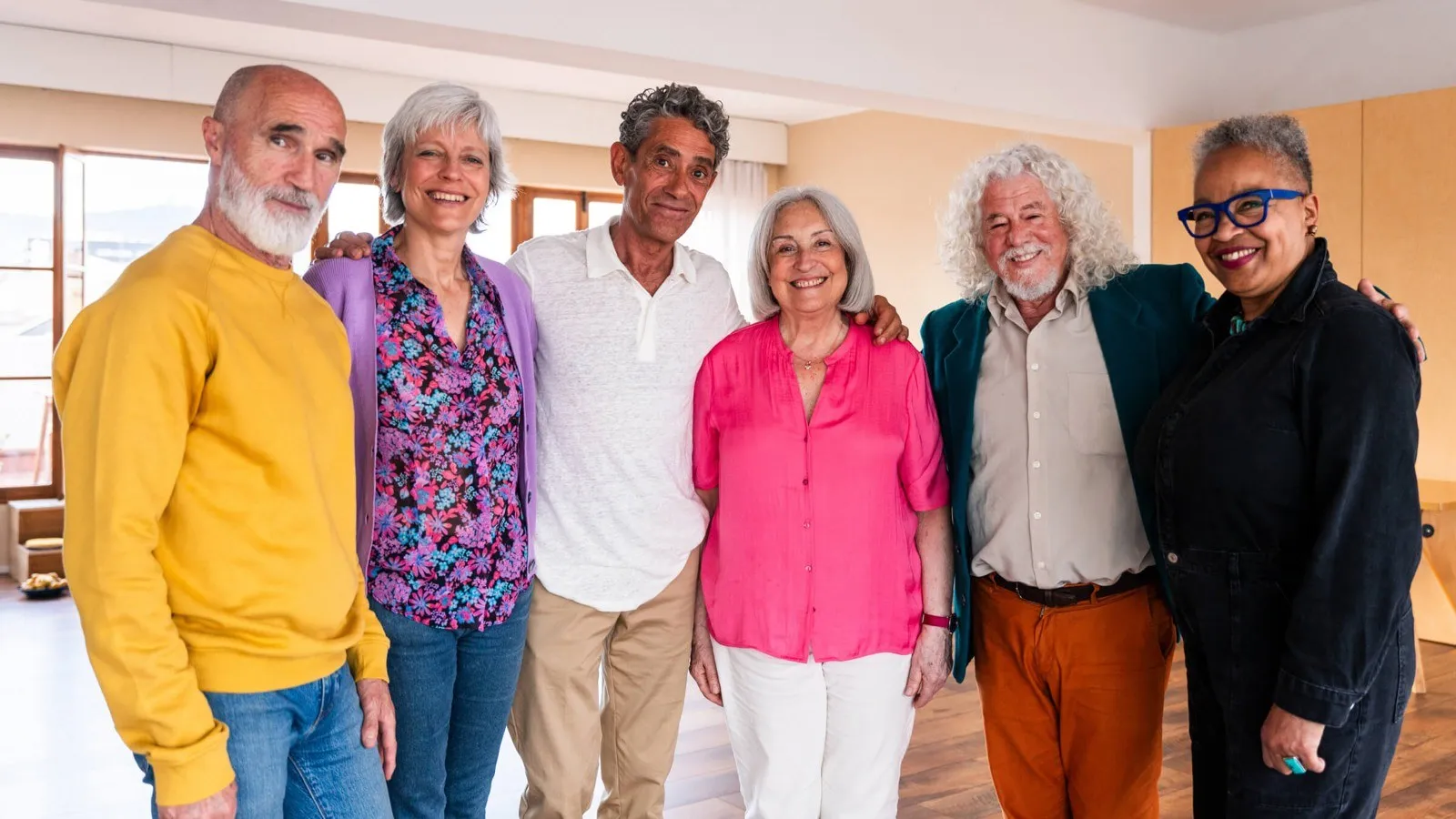
The audience sets the constraints, not the other way around: text that holds up for aging eyes, targets sized for an unsteady tap, plain language in place of telecom marketing, and a phone number a real person answers, because this audience still calls. The research that mattered most was about who appears on the page. Inclusion here is not decoration, it is central. The photography direction is explicit: real seniors, active aging only, every kind of person: Black, Latino, Asian, Indigenous, white; mixed couples; wheelchair users, hearing aids, glasses. The filter I wrote for it: if it could be on the cover of Real Simple, and not a brochure, use it.




The honest line on numbers: this is a live, ongoing build with no controlled A/B test group yet. What backs it so far is an accessibility floor every page must clear, plus structured iteration, not a conversion lift I cannot back up. Where a real number cannot be earned, the case study does not invent one.
Every page is wireframed, then built as a working page
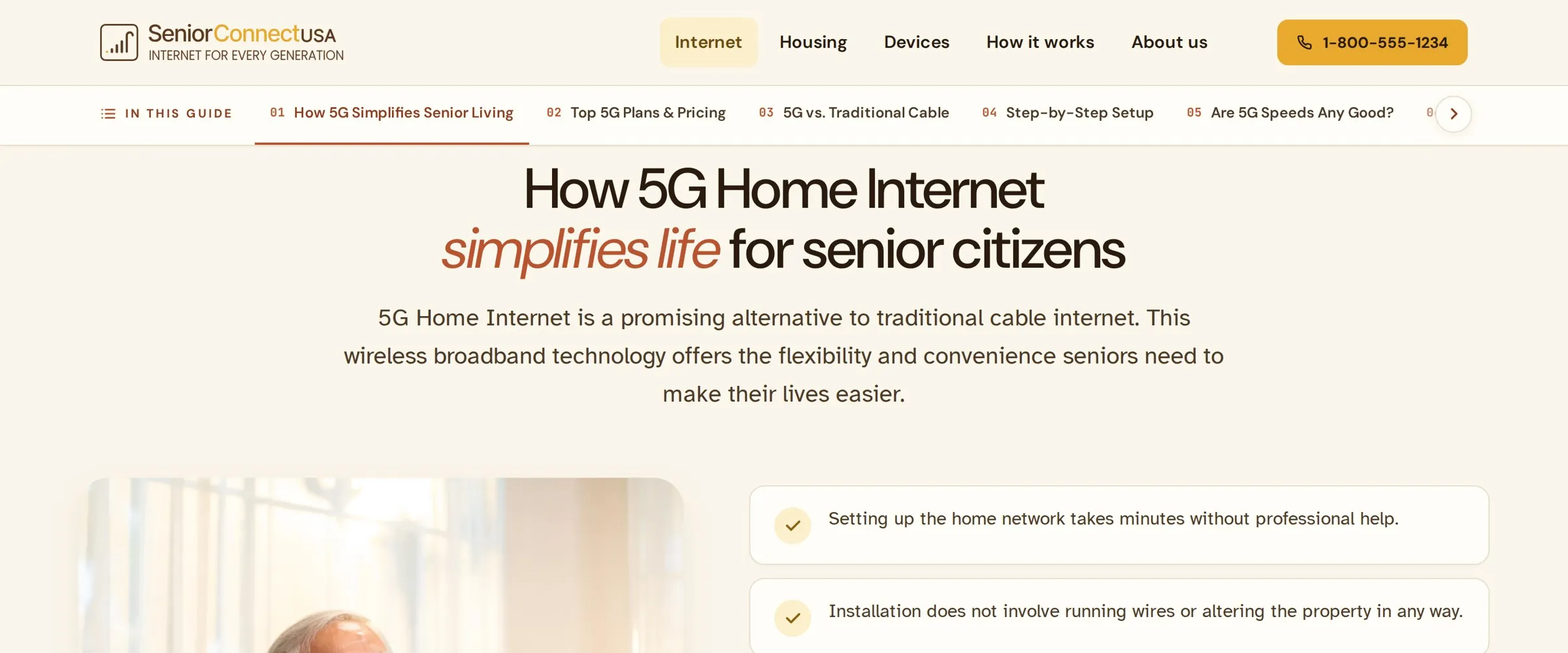
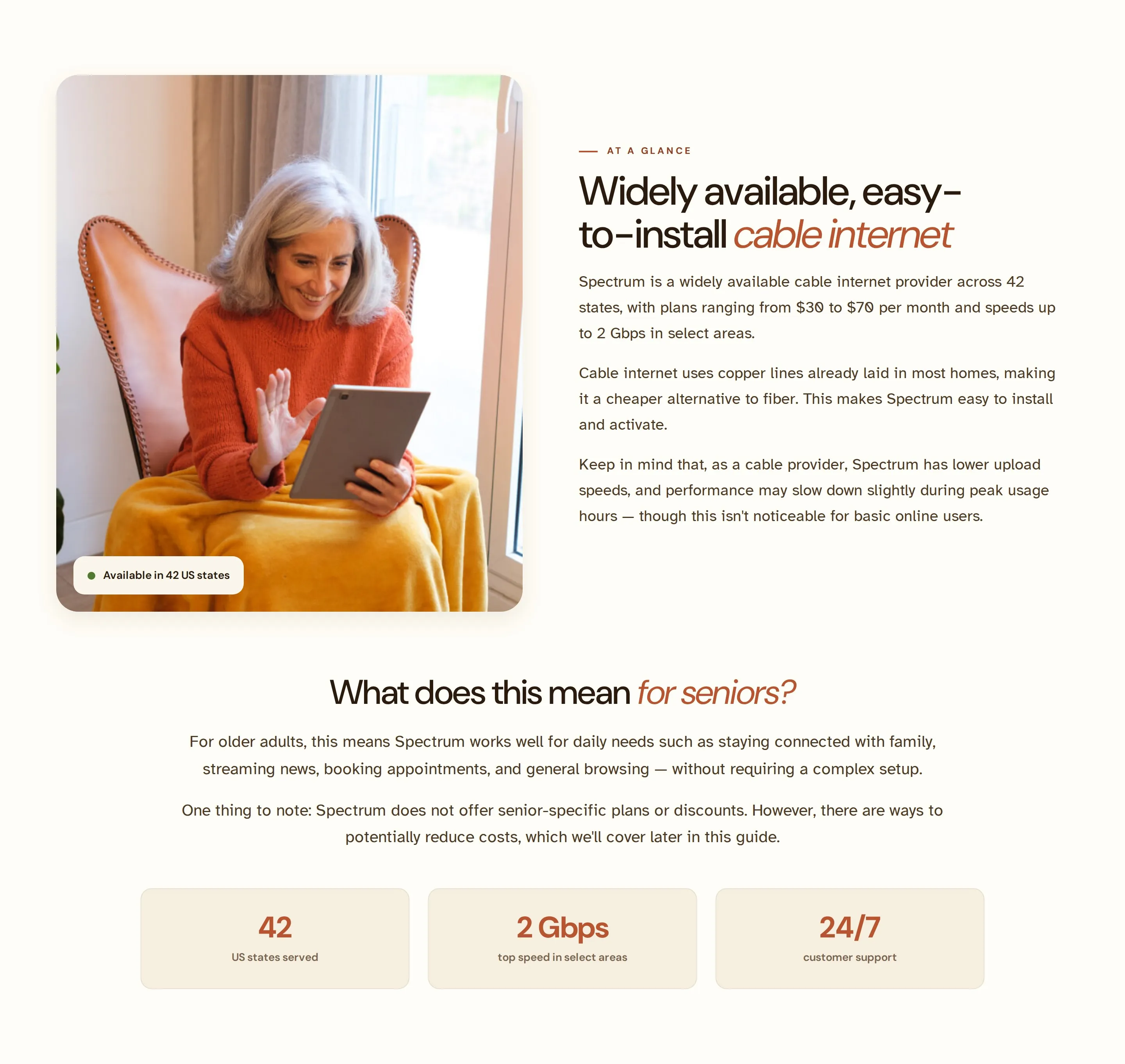
Each page moves wireframe to high-fidelity to live HTML. The prototypes are not flat mockups. They are real responsive pages, so the layout is tested in a browser at the sizes seniors actually use. Two structure decisions earn their keep on long pages: a fixed "In this guide" table of contents so nobody gets lost, and a plain-language "what does this mean for seniors?" read on every dense topic.
A standards doc written from real mistakes
The system did not arrive clean. It carries a "rules learned" document: corrections caught in review and written down so they cannot happen again. The pattern in each one is the same. The comfortable default was quietly an accessibility risk for this audience.
Section labels are never tappable
A label set as a rounded chip with a dot reads as something to tap. Labels are a small text label with a short rule line instead, so a 72-year-old never tries to press a heading.
Prices are set as plain text
A price wrapped in a bordered card looks like a button. Pricing is set as plain text, with a small label, a large amount and fine print, so the most important number is never mistaken for a tap target.
One button behaviour, everywhere
No one-off lighten-and-lift hovers. Every button behaves exactly like the plan card's "Check availability." For this reader, predictability is an accessibility feature.
Imagery needs air; lead with diversity
Photos never touch a section's edge, and never lean on dated props, no holiday lights and no antique phones. The hero leads with diversity, because the first face sets who this is for.


An earlier direction, "Calm Clinic", was calm but cold. It was reworked into "Sunlit Porch": the same senior-first foundations (generous type, calm contrast, big targets) recoloured around sunflower and terracotta. Warm, domestic and optimistic, a porchlight on every page instead of a waiting room.
Sunlit Porch, where the brand is the accessibility
One system holds the brand and the usability as a single decision. It sits on a senior-first floor, and every brand choice has to clear that floor before it is allowed to be a brand choice. That is the whole idea of the project, built into a system the next person cannot quietly break.
The floor every decision clears
Body is set in the Braille Institute's low-vision typeface, with letterforms drawn so l 1 I cannot be confused.
The floor is 18px, not the usual 16, so default copy is comfortable without anyone reaching for browser zoom.
Above the 44px WCAG minimum, sized for unsteady taps and tremor. Buttons are deliberately big, not crowded.
Copy reads on warm cream, not harsh white, so it stays legible without the glare that tires older eyes.
Colour: warmth that still passes contrast
Type: DM Sans headings, Atkinson Hyperlegible reading
The component library
Shown on the system's own warm paper, the way they actually appear in the product, not floating on the portfolio's dark background.
A short rule line, never a chip. Labels are never tappable.
One hover behaviour everywhere. Minimum 52px tap target.
Plain text, never boxed, so it is never mistaken for a button.
The one advice cue in comparisons, always in the same warmth.
A 52px field with a visible border and a labeled action, no icon-only submit.
Label, speed, plain-text price, one action. Nothing competes with the button.
200 Mbps is more than enough for video calls with family, streaming, and a smart doorbell, all at the same time.
Every dense topic gets a jargon-free read, in the reader's own terms.
One warmth, one meaning
The same sunflower carries "this is the action" wherever it appears: a primary button, a plan highlight, a link. Same colour, same job, nothing to re-learn from page to page.
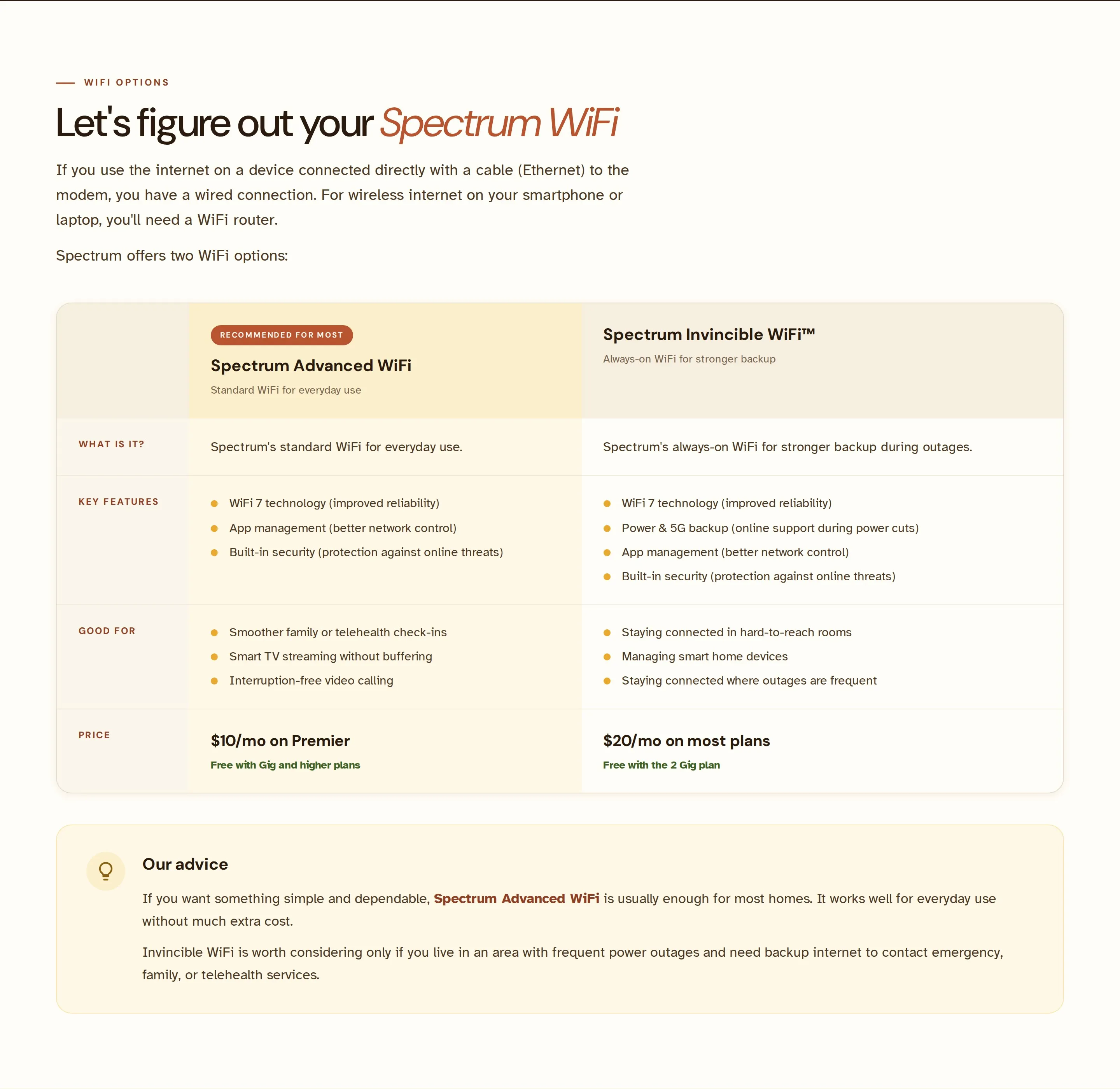
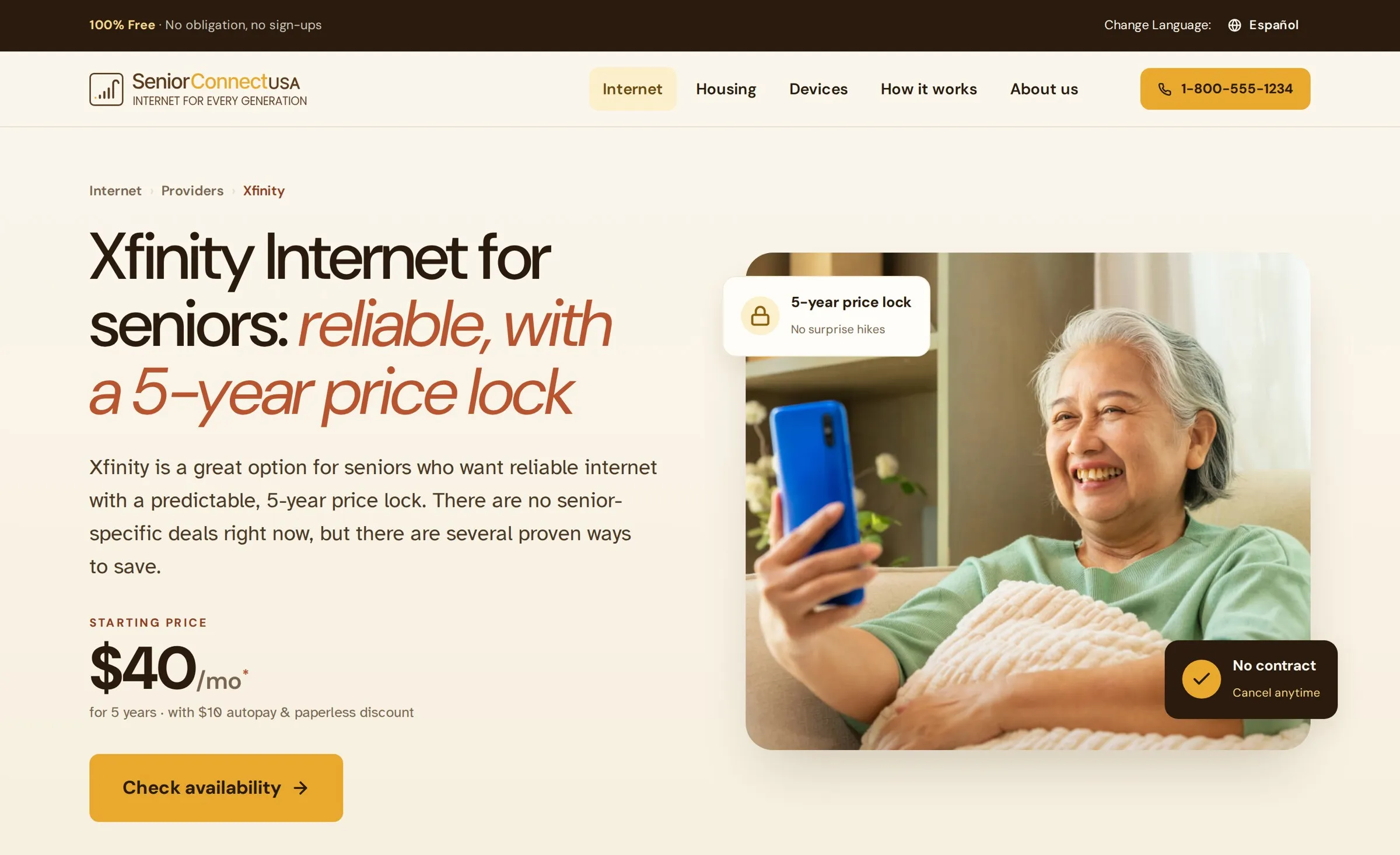
One system, a growing site, two languages
The system turns a new provider page into assembly rather than a redesign. Live today at seniorconnectusa.org, among a set that keeps growing: the homepage; provider pages including Spectrum, Xfinity, AT&T, Optimum, and Kinetic by Windstream; connection-type pages for 5G Home and Fiber; an Internet Speed Test tool; a pillar resource, "Internet for Seniors"; and the core set of About, Contact and Advertising Disclosure. Every page ships in English and Spanish, with the bilingual switch and the "100% free, no sign-ups" promise pinned to a fixed utility bar, so trust and language are never more than a glance away.
The complete process, end to end
All sixteen phases, mapped to what the project actually produced: backed by real work where it exists, and honestly marked where it is still in progress.
Editorial lead-gen for over-50s choosing internet and home services. The business runs on readers reaching the right provider and acting, so every page is both a guide and a place to act.
Per-page content briefs arrive as raw material: meta title, hero copy, section text, pricing and CTA. Turning a list of facts into a page a 72-year-old can act on is the actual design work.
Reader framing set the constraints: low vision, unsteady taps, jargon-averse, phone-first, bilingual. Every later decision has to answer to this reader, not to taste.
Two directions explored, warm against clinical, before the "porchlight on every page" concept won. Warmth was chosen because it still had to pass contrast, not instead of passing it.
Audience and inclusion research fed a written photography brief: real seniors, active aging, every kind of person, no dated props. The first face on a page sets who it is for.
Every page type wireframed before build: provider, category and core pages. Architecture, reading order and the single clear action are settled here, not patched later.
Hi-fi prototypes are working responsive HTML, not flat mockups, so layout is tested in a real browser at the screen sizes seniors actually use.
Structured iteration and design-QA rounds shape each release. A formal live A/B test on the highest-traffic provider pages is the named next step, not a claimed result.
Senior-first foundations, generous type, calm contrast, big targets, carried from the earlier "Calm Clinic" direction into "Sunlit Porch" without losing the accessibility floor.
A "rules learned" standards doc written from corrections caught in review: labels never tappable, prices as plain text, one button behaviour, imagery with air.
Wireframe to hi-fi to live, page by page, with the system absorbing each page so the next one is assembly rather than redesign.
Review rounds are captured as do-not-repeat rules and folded into the standards doc, so the same correction never has to be made twice.
"Sunlit Porch": an accessibility floor of 18px body, 52px targets and Atkinson Hyperlegible, plus colour, type and a component library where brand and usability are one decision.
Live at seniorconnectusa.org and still growing: homepage, provider pages, connection-type pages, a speed test tool and core pages, every one in English and Spanish.
Iterative section rounds (v2 / v3) reviewed against the floor and folded back into the system, so the library gets stricter with every release.
This case study: the process shown as it actually ran, with real artifacts where they exist and honest gaps where they do not.
What is durable, and the honest gap
The durable investment is the system and the single principle behind it, brand and accessibility as the same decision, which is what stops the next builder from quietly shipping an inaccessible page. The honest gap is proof of behaviour: there is no moderated task-success study or live A/B behind this yet. For an accessibility-led brand the proof has to come from behaviour, so the next step is a small moderated study with real over-50 users and live experiments on the highest-traffic provider pages. Until that data exists, the work is presented as what it is, a system and a research loop, and not dressed up as a number it has not earned.